
Tattooist: AI Tattoo Generator
MAETCH EXPANSION, S.L.Art & Design
3.4379.00 Reviews
- Version
- 1.18.0
- Installs
- 1.00M
- Age Rating
- Everyone
Screenshots
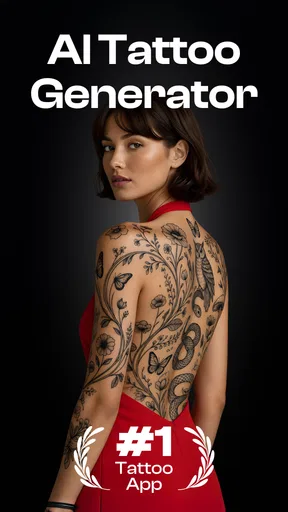
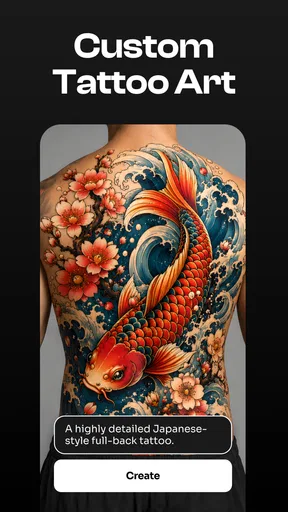
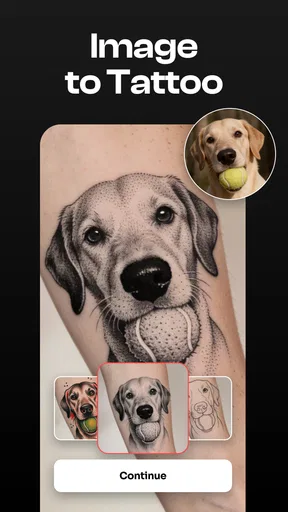
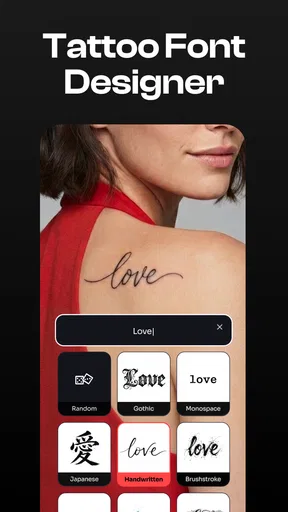
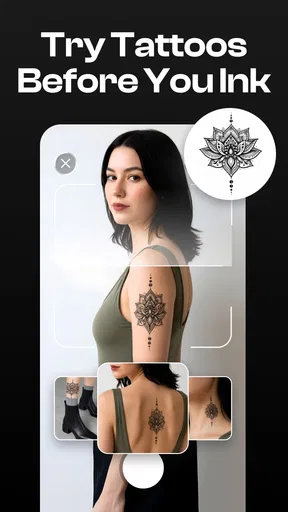
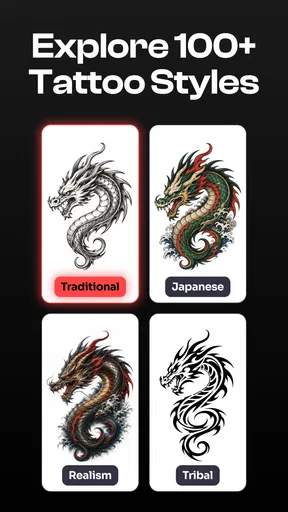
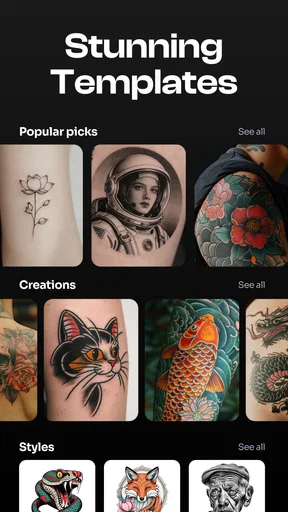
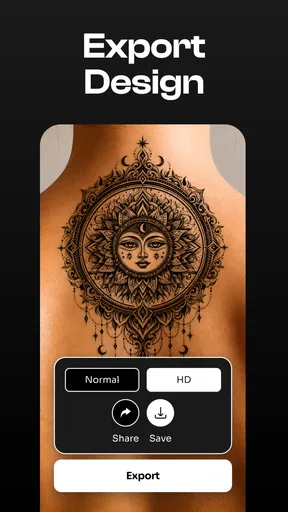
Our Review of Tattooist: AI Tattoo Generator
 Analysis by Appyee
I approached Tattooist: AI Tattoo Generator as someone looking for a practical way to explore tattoo ideas, not as a replacement for a professional tattoo artist. It belongs to the Art & Design category and focuses on turning a rough concept into something closer to a visual design or stencil. That makes it interesting for people who have an idea in their head but cannot draw it clearly enough to show someone else.
My first impression was that the app makes the early, uncertain stage of tattoo planning feel less intimidating. You can start with a theme, mood, symbol, or placement idea instead of opening a complicated drawing program with a blank canvas. The most useful way to think about it is as a conversation starter: it helps you compare directions before committing to permanent ink.
It is free to install, rated for Everyone, and developed by MAETCH EXPANSION, S.L. The app has reached over 500 thousand installs and holds a 4.3 average from around 3.5 thousand ratings, which suggests that the basic concept has found a real audience. I would still judge it by the quality of the workflow rather than popularity, especially because tattoo design needs more than an attractive image.
How the design workflow feels in everyday use
I found the most useful way to approach this app is as a place to test a visual direction, rather than a shortcut to a finished tattoo. That framing changes how I judge each result: I look for a clear subject and mood first, then note what an artist would need to refine. The next section focuses on turning that early exploration into a practical process.
Readable navigation for people who do not draw
The strongest part of the experience is its approachable starting point. A person who knows they want something delicate, dark, symbolic, or personal can begin from an idea rather than technical drawing knowledge. That matters because traditional illustration apps often assume you already understand layers, brushes, selections, and export settings.
I found the concept especially useful when the goal was to make several possible directions quickly. Instead of spending a long time polishing the first sketch, I could treat each result as a proposal and ask a more important question: does this shape still look good when reduced to a simple tattoo form? That change in mindset prevents a common mistake, which is falling in love with a detailed image that would not translate well to skin.
The short description presents the product as “Tattooist,” while its broader purpose is closer to an idea generator and design helper. That distinction is important. If you expect a complete professional studio suite, the experience may feel limited. If you want a low-pressure place to test concepts, its focused direction makes more sense.
For readability, the app benefits from its narrow purpose. You are not navigating a large creative ecosystem filled with unrelated tools. The main challenge is not understanding what tattoo design means; it is learning how much control the app gives you after the initial idea appears. I recommend approaching the first session as an exploration rather than expecting the first result to be ready for a tattoo appointment.
Why a simple concept can still require careful review
Generated tattoo art can look convincing at first glance because it often has a strong silhouette or a dramatic composition. I would not accept an output immediately. I would zoom in mentally, simplify it, and check whether the important elements remain recognizable without tiny decorative details.
One practical workflow is to create a broad concept first, then make a second pass with the tattoo’s real size and placement in mind. A design for a small wrist area needs a different level of simplicity from one intended for a larger back or thigh piece. Even when the app helps produce the artwork, the final decision still needs human judgment about line density, spacing, and how the design will age.
The app is most valuable before the appointment, not during the tattoo itself. I would use it to bring a clearer visual conversation to an artist, while leaving technical decisions about needle configuration, skin, placement, and long-term readability to that professional.
Motor and sensory considerations during creation
For users who find freehand drawing difficult, the app’s idea-driven approach can reduce the need for precise finger control. You do not have to begin by manually constructing every line. That can make the first stage more comfortable for someone with limited dexterity, hand fatigue, or little confidence using a drawing interface.
There is also a benefit for people who process visual ideas better than verbal descriptions. Saying “I want something mysterious but not aggressive” can be difficult when speaking to a tattoo artist. Seeing several visual interpretations gives you something concrete to react to. You can identify what feels too busy, too heavy, too literal, or simply unlike you.
At the same time, an image-focused workflow can create its own barriers. Users with low vision may need to rely on device-level display settings or screen magnification, and the usefulness of that approach depends on how the app presents its controls and previews. I would not describe the product as having a confirmed accessibility system; I would describe it as relatively approachable for visual experimentation, with the usual limitations of an image-based tool.
People sensitive to fast visual changes, high contrast, or dense imagery may prefer short sessions and deliberate pauses between variations. Tattoo concepts can contain sharp lines, heavy black areas, and intricate patterns, so the visual load is not always gentle. A calmer workflow is to decide on one theme at a time rather than rapidly comparing a large collection of unrelated ideas.
For motor control, the most useful habit is to separate generation from evaluation. First create or inspect a concept without trying to make every adjustment immediately. Then review it with both hands relaxed, using the device in a stable position. This reduces the pressure to perform tiny gestures while also making it easier to notice whether the image actually communicates the intended idea.
Using it in real situations
A realistic example would be someone planning a first tattoo after work. They may have a few saved references, a meaningful date or object in mind, and no drawing ability. In that situation, Tattooist can help turn vague inspiration into a small set of directions before the person contacts a studio. The best result is not necessarily a finished stencil; it is a clearer explanation of what the person wants and what they want to avoid.
It can also help when two people are designing a shared tattoo. Each person can react to different visual interpretations and discuss whether the symbol should be literal, abstract, fine, bold, playful, or serious. That is more productive than arguing over adjectives with no image to anchor the conversation.
Another useful situation is a temporary design decision. Someone may be considering a tattoo but feeling unsure about the style. Creating several related concepts can reveal whether the interest is in the subject itself or merely in a particular visual trend. I would treat that discovery as a success even if it leads to postponing the tattoo.
For a professional artist, the app may be more useful as a brainstorming aid than as a production tool. It can help a client arrive with references and a starting point, but an experienced artist may prefer dedicated illustration software for precise construction, editable layers, vector control, and repeatable stencil preparation.
Where it compares well with ordinary alternatives
The usual alternative is searching image boards or social media for existing tattoos. That is fast, but it can encourage copying and makes it hard to combine several personal ideas into one coherent concept. Tattooist offers a more active process: instead of only collecting other people’s work, you can explore a direction that begins with your own prompt or intention.
A second alternative is a general drawing app. That option usually provides more control, but it also demands more skill and patience. If you already know how to sketch, layer, erase, and refine linework, a general-purpose tool may be better for final construction. If you mainly need help getting from “I have an idea” to “this is roughly what I mean,” the specialized focus here is more welcoming.
There is also the option of asking a tattoo artist to design everything from scratch. That remains the better choice when the tattoo involves complex anatomy, lettering, cultural symbolism, cover-up work, or a difficult body contour. The app can prepare the discussion, but it cannot replace the artist’s understanding of skin and practical tattooing.
The trade-off is clear: this app lowers the creative entry barrier, while professional or general design software offers deeper control. I would choose Tattooist for exploration, a human artist for adaptation, and a precision design program when I need exact construction rather than inspiration.
Costs, version, and what to expect before committing
The app is free, but it includes in-app purchases ranging from $6.99 to $39.99 per item. That makes it sensible to test the free experience first and decide whether the workflow genuinely helps you before paying for anything. I would not buy simply because an early concept looks attractive; I would first check whether the paid step improves the part of the process that matters to me, such as variety, refinement, or practical preparation.
The current version is 1.14.0, and the listed minimum operating system is version 10. Users on older devices should check compatibility before planning around it. Since the app is relatively focused, a newer device is not automatically necessary for the creative idea itself, but screen size and responsiveness can affect how comfortably you inspect details.
The release date is September 25, 2025, so I would keep expectations realistic about how mature the product feels. A newer app can be appealing because its purpose is tightly defined, but it may also leave some workflows less developed than established drawing suites. That is another reason to use it as a design companion rather than the only tool in a serious tattoo project.
Remaining barriers and moments of friction
The biggest conceptual barrier is the gap between attractive artwork and tattoo-ready artwork. A generated image may contain details that are too fine, crowded, or dependent on shading. Without tattoo knowledge, it is easy to mistake visual polish for practical suitability. I would always ask an artist to reinterpret the concept instead of treating the app’s output as final instructions.
Lettering deserves extra caution. Names, dates, and short phrases need exact spelling, balanced spacing, and a style that remains legible over time. I would proofread every character and show the design to a tattoo professional before approving it. A visually impressive result is not enough when one incorrect letter makes the tattoo permanently wrong.
Personal and cultural symbols also need research beyond the app. A symbol can carry meanings that are not obvious from its appearance, and a generated variation may accidentally change those associations. I would use the app to explore composition, then verify the meaning through reliable sources and discuss it with the artist.
There is a practical accessibility issue in any image-heavy workflow: if a user cannot comfortably inspect fine details, the app may be better for broad concept selection than for final checking. A friend, support person, or artist can help review the image, but that should be a choice rather than an assumption. Clear verbal notes about the desired subject, mood, size, and “must keep” elements can make the collaboration more inclusive.
I would also skip this app if my main goal were exact technical drafting. Someone designing a cover-up, matching an existing tattoo, fitting artwork around scars, or building a precise geometric piece needs professional assessment and more controllable tools. The app may still offer inspiration, but it should not be the center of that workflow.
Who I would recommend it to
I would recommend it to first-time tattoo customers, people who struggle to draw, and anyone who has a personal idea but cannot communicate it visually. It is also a good fit for users who enjoy comparing styles before making a permanent decision. The Everyone age rating makes the app broadly approachable, though the subject matter naturally calls for mature judgment when moving from digital artwork to a real tattoo.
I would be more cautious recommending it to professional illustrators who need editable precision, tattoo artists who already have a dependable studio workflow, or users seeking a guaranteed stencil-production pipeline. Those people may find the app too indirect. Its strength is reducing uncertainty at the beginning, not handling every technical stage afterward.
For users with different abilities, I see the most promise in its lower demand for freehand drawing and its ability to make abstract ideas visible. I see the main limitation in the need to inspect visual details and interpret the result independently. The experience can support a more inclusive conversation, but it does not remove the need for accessible device settings, assistance when wanted, or professional review.
My inclusive verdict
After using it as a planning tool, I see Tattooist as a friendly bridge between imagination and conversation. It is easier to approach than a blank drawing canvas and more personal than endlessly browsing existing tattoos. The app helps users discover what they like, notice what they dislike, and arrive at a tattoo consultation with something more useful than a vague description.
Its limitations are important rather than deal-breaking. The output should not be confused with a final stencil, and people who need exact control may be better served by a general illustration app or a tattoo artist’s own process. The purchase range also means I would explore the free experience carefully before spending money.
My recommendation is simple: use it to ask better questions, not to skip professional judgment. If you want an approachable way to explore custom ink ideas, especially without strong drawing skills, it is worth trying. If you need precision, complex placement planning, or a finished tattoo specification, bring the app’s concepts to an artist and let that human expertise complete the work.
Privacy and Permissions
See what permissions an app requests and how it handles your data.
- Photos/Media/Files
- read the contents of your USB storage, modify or delete the contents of your USB storage
- Storage
- read the contents of your USB storage, modify or delete the contents of your USB storage
- Camera
- take pictures and videos
- Wi-Fi connection information
- view Wi-Fi connections
- Other
- view network connections, full network access, run at startup, control vibration, prevent device from sleeping, Google Play license check, read Google service configuration
Verdict
Strengths of Tattooist: AI Tattoo Generator
- Generates many tattoo concepts quickly from simple text prompts.
- Useful for exploring styles before consulting a professional tattoo artist.
- Lets users experiment with placement and visual ideas at no cost.
- Can inspire personalized designs beyond common tattoo templates.
- Easy interface makes it accessible to users without design experience.
Limitations of Tattooist: AI Tattoo Generator
- AI results may include distorted details or poorly formed lettering.
- Generated designs may resemble existing tattoos or online artwork.
- Final images may not accurately reflect how ink looks on real skin.
- Some advanced tools or exports may require in-app purchases.
- Using AI alone cannot replace professional advice on size and placement.
Similar Picks in This Category
View All
Canva: AI Photo & Video Editor
Canva4.8

PENUP – Drawing-sharing SNS
Samsung Electronics Co., Ltd.4.5

Crafto
Kutumb App4.6

Sketchbook
Sketchbook4.1

ibis Paint X
ibis inc.4.5

Adobe Express: AI Photo, Video
Adobe4.6
Frequently Asked Questions
What is Tattooist: AI Tattoo Generator and how does it work?
Tattooist: AI Tattoo Generator is a design app that uses artificial intelligence to create tattoo concepts from your written ideas. You can describe a style, subject, placement, or mood, and the app generates visual suggestions based on that prompt. It is useful for exploring inspiration, comparing different concepts, and preparing ideas before speaking with a professional tattoo artist.
Can Tattooist create a realistic preview of a tattoo on my body?
The app may help you visualize tattoo ideas, but generated artwork should not be treated as an exact preview of how a tattoo will look on your skin. Results can vary depending on the image, prompt, body position, lighting, and available editing tools. Before making a permanent decision, show the concept to a qualified tattoo artist, who can adjust its size, placement, linework, and proportions.
Is Tattooist: AI Tattoo Generator free to download and use?
Tattooist may be available to download at no initial cost, but some features, generations, styles, or higher-quality results can require in-app purchases or a subscription. Pricing and limits may differ between Android and iOS and can change with updates. Check the store listing and the app’s payment screen carefully, especially if a free trial automatically converts into a paid plan.
Can I use the designs generated by Tattooist for my actual tattoo?
You can use the app’s results as inspiration or as a starting point for a consultation, but an AI-generated design may not be ready for direct tattooing. It can contain unsuitable details, inconsistent lines, copyrighted elements, or proportions that do not work well on skin. A professional tattoo artist should refine the artwork and confirm that the final version is safe, technically practical, and appropriate for the chosen placement.
Does Tattooist protect my prompts, photos, and generated tattoo designs?
Before uploading personal photos or using the generator, review Tattooist’s privacy policy and the permissions requested by the app. AI services may process prompts, images, and generated content through online servers, and retention or sharing practices can vary. Avoid submitting sensitive photographs or identifying information unless you understand how the data is handled, stored, and potentially used to improve the service.
